
guest-list
Free Wedding Guest List Template for Google Sheets
A free, copy-ready Google Sheets template for your wedding guest list — with columns that actually hold up when RSVPs start arriving.
Read articleA spreadsheet works fine at the start. Then RSVPs arrive from six directions and nothing stays in sync. Here's an honest comparison.
Published on
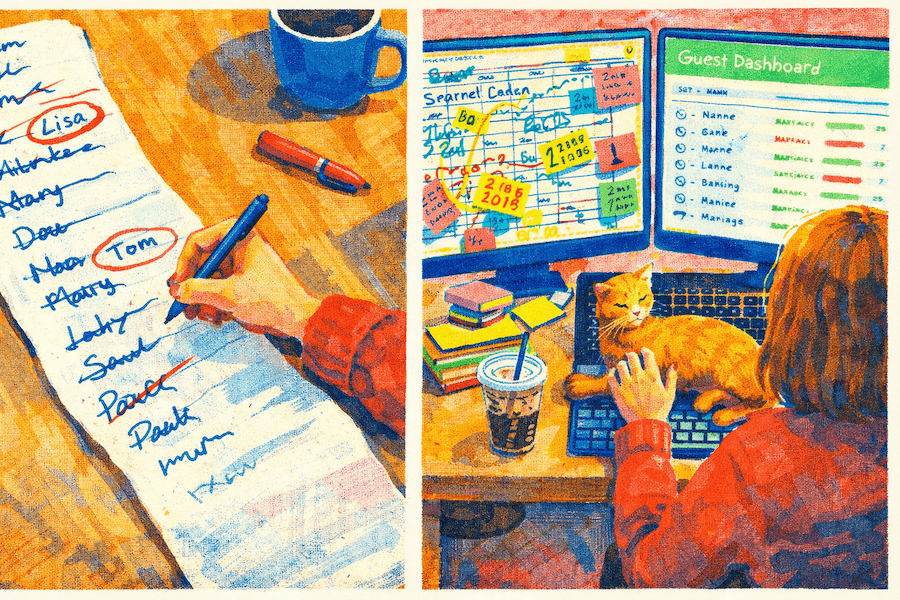
Almost every couple starts with a spreadsheet. It's fast, it's familiar, and at the "who do we actually want there?" stage of planning, it's exactly the right tool.
Six months later, that spreadsheet has 40 columns, three versions with dates in the filename, a separate tab for dietary requirements, and a note at the top that says "CHECK WITH MUM FIRST." Nobody's quite sure which version is the real one.
Spreadsheets aren't the problem. The problem is that a wedding guest list isn't a static document — it's a live project that changes every few days across several months.
Because you already have them. Because they're fast to open. And at the drafting stage — who do we invite? how many is too many? — a spreadsheet is genuinely the right tool for the job.
You have complete flexibility. Custom columns for anything you need. Colour coding your way. Formulas to track costs per head. No learning curve, no signup, no monthly fee. For a couple planning a small wedding — 30 or 40 people, close family and friends — a spreadsheet can absolutely carry you from first draft to final headcount. If that's your situation, start from our free wedding guest list template for Google Sheets instead of a blank sheet — the columns are already set up to survive RSVP season.
The cracks appear when the list gets longer and the process gets more complex.
The average UK wedding has around 80–100 guests. An Irish or Australian wedding can run 150–200. At that scale, a spreadsheet stops being a list and starts being a logistics challenge.
RSVPs arrive from everywhere at once. Some guests reply by email. Some text. Some call your mum. Some assume their plus-one is obvious and never say anything. You're manually updating a cell every time you get a message — and if you miss one, your counts are off.
Two people can't easily work on it at the same time. If you and your partner both open the file, one version overwrites the other. Google Sheets fixes this specific problem, but not the others.
Filtering is slow. Want to see just the people who haven't replied yet? That's a manual scan through 100 rows, or a formula you'll write once and hope doesn't break. Want to see only vegetarians? Same problem.
Data lives in multiple places. Dietary requirements in one tab. Contact details in another. RSVPs in a third. Seating chart in a completely separate file. When someone changes their meal preference three weeks before the wedding, you're updating it in two or three places — and hoping you remember all of them.
No reminders. A spreadsheet doesn't chase guests who haven't replied. You do that, whenever you remember, with increasing irritation.
Here's the honest way to put it: spreadsheets are excellent for capturing data and terrible at managing a process.
A dedicated guest list tool connected to RSVP collection and seating doesn't just add features — it eliminates categories of error that you'd otherwise be catching manually.
RSVPs update the list automatically. A guest opens a link, confirms or declines, and their status changes immediately. You're not manually updating a cell after every WhatsApp message.
One-click filtering. See everyone who hasn't replied. See everyone who said yes. See everyone with a dietary requirement. At a guest list of 100+, this isn't a nice-to-have — it's hours saved when coordinating with your venue and caterer.
One source of truth. Contact details, RSVP status, dietary notes, table group, plus-ones — all in one place. Update something once, it's updated everywhere. Everyone working on the wedding sees the same data.
Seating plan without re-entering names. When your guest list is already in the tool, building a seating plan means dragging names to tables, not retyping 120 people into another file. This alone saves a couple of hours and eliminates a whole class of mismatch errors. You can try it with your current spreadsheet in our free online seating chart maker.
Scheduled reminders. You can set automatic follow-ups for guests who haven't replied, instead of doing a manual sweep every few days and writing messages from scratch.
Neither option is objectively better. The right one depends on your wedding size and how you plan.
| Spreadsheet (Excel / Google Sheets) | Online tool | |
|---|---|---|
| Getting started | Instant, nothing to learn | A few minutes of setup |
| Full flexibility | Complete | Limited to the tool's features |
| Multiple people editing | Hard (Excel) / fine (Sheets) | Built-in |
| RSVP collection | Manual, from multiple channels | Automatic via a single link |
| Filtering by status | Requires formulas | One click |
| Seating plan connection | Separate file, manual sync | Built-in |
| Export for catering | Manual | Usually included |
| Cost | Free | Usually paid |
Stick with a spreadsheet if:
For a small, informal wedding, adding an online tool creates complexity where there isn't a problem. Keep it simple.
An online tool starts paying off when:
One thing worth noting: you don't have to choose on day one. Plenty of couples draft their guest list in a spreadsheet — the back-and-forth of "do we invite the Hendersons?" is better in a spreadsheet anyway — and move to an online tool when they're ready to send invitations and collect RSVPs. The import process takes minutes.
If you've been working in a spreadsheet and want to move to an online tool, you don't start over. Most tools accept CSV or Excel import. Prepare your columns — first name, last name, email, phone — and you can transfer everything in under ten minutes.
Do this before RSVPs start coming in, not after. Moving data mid-process, when some guests have already responded, is where errors creep in.
The approach that works well in practice: spreadsheet for the drafting phase, online tool as your operating system from invitations onwards.
The logic: a spreadsheet is better for exploratory, unstable work — adding names, removing names, having family negotiations about the list. An online tool is better when the list is reasonably set and you're managing a process: RSVP tracking, reminders, dietary compilation, seating.
Don't delay the switch too long. If you migrate to an online tool a week before your RSVP deadline, you don't have time to verify everything is working correctly.
Is Google Sheets better than Excel for a wedding guest list? For one specific problem — multiple people editing simultaneously — yes. For everything else (RSVP tracking, filtering by status, seating plan connection), Google Sheets has the same limitations as Excel. If the only thing bothering you is collaboration, Sheets solves it. If you want the RSVP and seating pieces, you need a dedicated tool.
Do all online wedding tools include a seating plan? No, and this matters. If you're planning a wedding of 80+ guests and want your guest list connected to your seating plan, check that the tool you choose includes seating. Otherwise you're back to two files that don't talk to each other — exactly what you were trying to avoid.
Is it safe to store guest contact details in an online tool? Reputable tools store data in line with GDPR requirements. Check the privacy policy before committing. Avoid using ad-hoc Google Forms or no-name services for storing contact details for a hundred people.
When is the right moment to switch from a spreadsheet to an online tool? When you're ready to send invitations and start collecting RSVPs. That's the natural handover point — your list is stable enough to import, and the process the online tool is designed for is about to begin.
If you're managing your guest list and RSVP collection, take a look at the Celebrate guest list manager — it keeps RSVPs, dietary notes, and your seating plan in one place. Curious how it stacks up against the big names? See Celebrate vs Zola and Celebrate vs RSVPify.
Building your guest list from scratch? Read how to organise a wedding guest list step by step first.
Celebrate gives you all the tools to plan your perfect event — guest list, RSVPs, seating, and more.
Start for free →A free, copy-ready Google Sheets template for your wedding guest list — with columns that actually hold up when RSVPs start arriving.
Read articleYour guest list is the first big wedding decision — and the one that determines everything else. Here's how to build it without the family drama.
Read articleMost baby showers run two to three hours — long enough for food, games, and gifts, short enough that the mum-to-be still has energy at the end. Here's the timeline.
Read article
