
website
Is a Wedding Website Worth It?
A wedding website isn't a trend — it's a practical tool that saves you from answering the same questions eighty times. But it's not for every couple. An honest answer.
Read articleA wedding website saves you from answering the same questions 80 times. Here's exactly what to put on it — and what most couples forget.
Published on
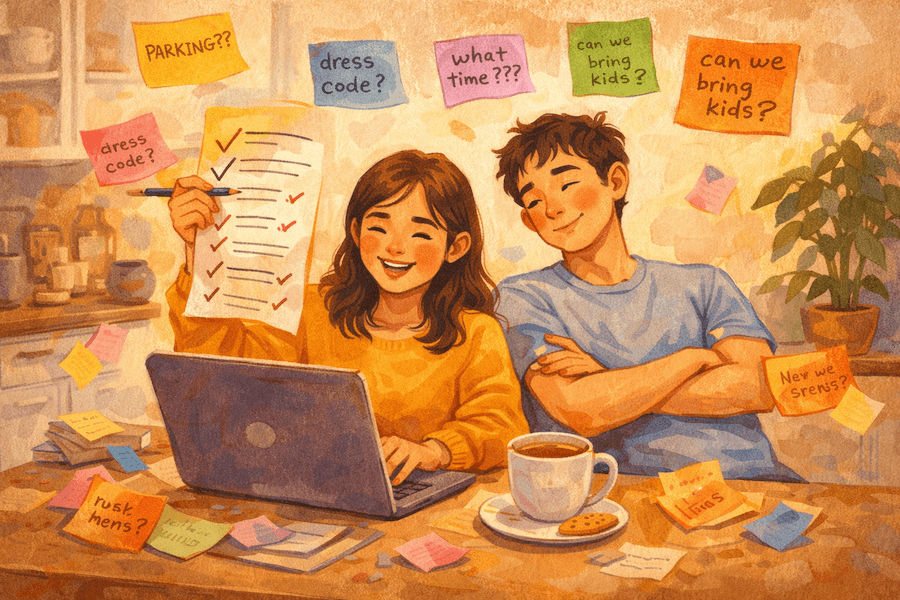
The average couple answers the same six questions roughly 40 times each before their wedding. Where is it? What time? Where should we stay? Is there parking? Can I bring my kids? What should I wear?
A wedding website answers all of them once. Done well, it means your guests arrive informed, your inbox stays quiet, and you spend the final weeks before your wedding actually enjoying the anticipation rather than fielding logistics texts at midnight.
Here's what to include — and what most people forget. (Still deciding whether you need one at all? Start with our honest take on whether a wedding website is worth it.)
These are the sections every wedding website must have. If any of these are missing, your guests will call.
Sounds obvious. And yet: be specific. Don't just write "St. Mary's Church, Warsaw" — write the full address, a map link, and the exact times for both the ceremony and reception if they're at different venues or there's a gap between them.
Include:
If the ceremony and reception are at the same venue, say that explicitly. Guests will assume there's travel unless you tell them otherwise.
The RSVP section deserves more than a note saying "email us". Link directly to your online RSVP form with a clear deadline prominently displayed.
State the deadline twice — once near the RSVP button and once in the intro text. Guests notice it the second time even if they skim past it the first.
If you need dietary information or meal choices, collect it here in the RSVP form — not via a separate process.
Every guest will wonder this. Every single one. Include it even if you think it's obvious. "Black tie", "smart casual", "garden party attire", "no specific dress code" — all of these are useful answers. Silence is not.
If the venue is outdoor, on grass, or involves a long walk, mention it so guests can make sensible footwear decisions.
This section is almost always underdeveloped. Most couples write two sentences about the nearest train station and call it done. Your guests deserve better.
Cover:
If the venue is rural or awkward to reach — a country estate, a barn in the middle of nowhere — this section is doing very heavy lifting. Don't shortchange it.
You don't need to have negotiated a group rate (though if you can, it's worth a few calls). You just need to tell guests where to look.
Include:
Optional, but guests genuinely enjoy it. A short, human paragraph or two about how you met, how the proposal happened, or what the relationship means to you. Not a novel. Not a CV of your relationship.
Two or three paragraphs. One photo. That's enough to make it feel personal without oversharing. And if you're staring at a blank page, our wedding website wording examples give you copy-paste text for this and every other section.
These are the sections that, when missing, generate the most questions.
Not a minute-by-minute breakdown — just the shape of the day.
2:00 pm — Ceremony begins
3:00 pm — Drinks reception
5:00 pm — Wedding breakfast
7:30 pm — Evening reception begins
12:00 am — Music ends
This single section eliminates a huge number of questions: when should guests arrive, when is the evening reception, how late does it go, when can Grandma leave without missing anything important.
The highest-ROI section on a wedding website. Write down the eight questions you've already been asked, answer them concisely, and never answer them again.
Common FAQ entries:
The FAQ section signals to guests that you've thought about their experience. It also gives you somewhere to redirect every question: "It's all on the website!"
If you have one, link to it. If you don't want gifts, say so. "No gifts please, your presence is the only gift we need" is a complete and perfectly acceptable answer — but say it, so guests aren't left wondering.
If you have a gift registry, link directly to it from the website rather than making guests search for it separately.
A few photos of the couple — engagement shots, a favourite travel photo, something candid — make the website feel alive rather than like a logistics document. Four to six photos is ideal. More than that gets unwieldy.
If you have a photographer you love, link to their work. Your guests will look them up anyway.
Your website address will be typed into phones, shared in WhatsApp groups, and printed on invitation inserts. It needs to be short and guessable.
getcelebrate.app/magda-tomek beats weddingwire.com/wedding/magda-and-tomek-2026-june-14th-warsaw every single time.
Most guests will visit your website on their phone, probably while on a commute or at work. Check that every section reads correctly on mobile — especially the RSVP form, the map link, and the schedule.
A wedding website is a living document until the wedding day. If the ceremony time changes, update the website. If you add a shuttle, update the website. Tell guests to check it for the latest information — and then actually keep it current.
A countdown timer. It felt exciting in 2015. Now it just creates pressure.
A password gate for the whole site. If guests can't find the basic information without a password, they'll call instead. Reserve passwords for truly private sections (like a post-wedding photo album) if you use them at all.
Too much text on the home page. Guests want to find things quickly. The home page should feel like a welcome, not a document. Save the detail for the FAQ and travel sections.
Autoplay music. Please. No.
When should we launch our wedding website? At the same time you send save-the-dates — often 9–12 months before the wedding. The sooner it's up, the sooner guests have something to point their questions at.
Do we need a wedding website if we're having a small wedding? Even for 20 people, a simple page with the date, address, and dress code saves you dozens of messages. It's worth 30 minutes of setup.
Should the wedding website be public or private? Usually public is fine — the URL isn't indexed by Google if you don't want it to be, and the information on it (venue, date) isn't sensitive. If you have genuine privacy concerns, a simple password on the site is reasonable.
How often will guests actually visit the website? Most guests visit twice: once when they first get the save-the-date, and once in the week before the wedding to double-check times and directions. Make sure both those visits are useful.
Can we use the website to collect RSVPs directly? Yes, and this is the best way to do it. An embedded or linked RSVP form on your wedding website means guests can confirm their attendance in the same session as reading the details — no separate email, no lost paper card.
A wedding website isn't just a nice-to-have. It's your communication hub for the entire guest experience — from save-the-date to the day itself.
Build yours with Celebrate's wedding website builder and have it ready to share in under an hour.
Celebrate gives you all the tools to plan your perfect event — guest list, RSVPs, seating, and more.
Start for free →A wedding website isn't a trend — it's a practical tool that saves you from answering the same questions eighty times. But it's not for every couple. An honest answer.
Read articleReady-to-use wording for every section of your wedding website — from travel and dress code to the gift list and FAQ. Copy, edit the details, done.
Read articleMost baby showers run two to three hours — long enough for food, games, and gifts, short enough that the mum-to-be still has energy at the end. Here's the timeline.
Read article
